Thunder Compute charges a dollar less per non-preemptible H100 hour than Daytona which offers more GPU types, and a spot tier. A non-preemptible H100 costs $2.95/hr on Thunder Compute and $3.95/hr on Daytona's on-demand tier.
Takeaways
- Thunder Compute's non-preemptible H100 costs $2.95/hr, against $3.95/hr on Daytona on-demand.
- A full 8 vCPU, 32 GiB H100 Thunder Compute sandbox costs 20% less ($3.88/hr vs $4.88/hr).
- Daytona spot ($2.27/hr) beats Thunder Compute ($2.95/hr) before factoring in evictions; rerunning preempted work can erase the price gap.
Daytona and Thunder Compute both isolate GPU sandboxes at the VM level and offer capacity that isn't preempted. Details below were verified in October 2026.
Daytona vs Thunder Compute at a Glance
Thunder Compute leads on non-preemptible price, and Daytona leads on hardware flexibility. Both platforms bill per second and charge nearly identical rates for vCPU, memory and disk on top of the GPU.
| Feature | Daytona | Thunder Compute |
|---|---|---|
| GPU types | H100, H200, B200, B300, RTX PRO 6000, RTX 4090, RTX 5090, AMD MI355X | H100, A100 80GB |
| H100 price | $3.95/hr on-demand, $2.27/hr spot | $2.95/hr |
| H100 sandbox, 8 vCPU, 32 GiB, 100 GiB disk | About $4.88/hr on-demand, $3.20/hr spot | About $3.88/hr |
| Preemption | On-demand or spot | Non-preemptible |
| Isolation | Dedicated GPUs, never shared between sandboxes | Firecracker microVM |
| When a GPU is out of stock | On-demand waits; spot fails immediately | Returns a capacity error, sometimes with a suggested waiting time |
| Lifecycle | Auto-stops after 15 idle minutes by default; deleted on stop | 300-second default timeout, configurable or none |
| Persistence | Ephemeral; filesystem snapshots | Ephemeral |
| Bring your own compute | Yes, through custom regions | Not documented |
What Daytona GPU Sandboxes Are and How They Work
Daytona GPU sandboxes are ephemeral environments, managed through SDKs for Python, TypeScript, Ruby, Go and Java. Each Daytona GPU adds up to 16 vCPUs, 192GB of RAM and 512GB of disk. Daytona deletes GPU sandboxes when they stop.
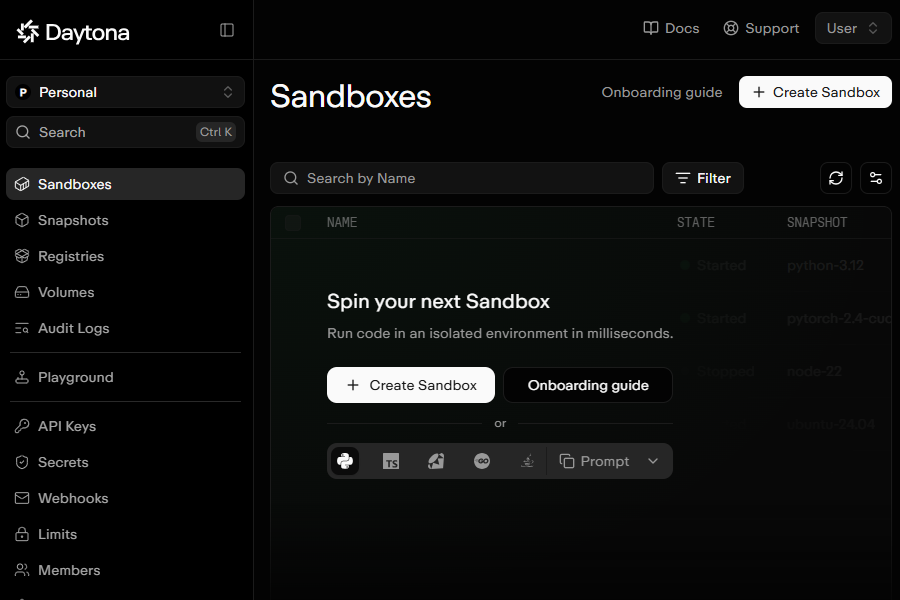
GPU sandboxes on Daytona's shared capacity run in a single pooled region, regardless of the region you request. Daytona sandboxes also support filesystem snapshots, auto-stop and wall-clock TTLs.
What Thunder Compute Sandboxes Are and How They Work
Thunder Compute sandboxes are short-lived GPU environments, each running in its own Firecracker microVM (AWS's open-source microVM hypervisor). Teams create them through a Python SDK or REST API. Every sandbox declares its vCPUs, memory, disk and GPU at creation, together with a lifetime and a network policy.
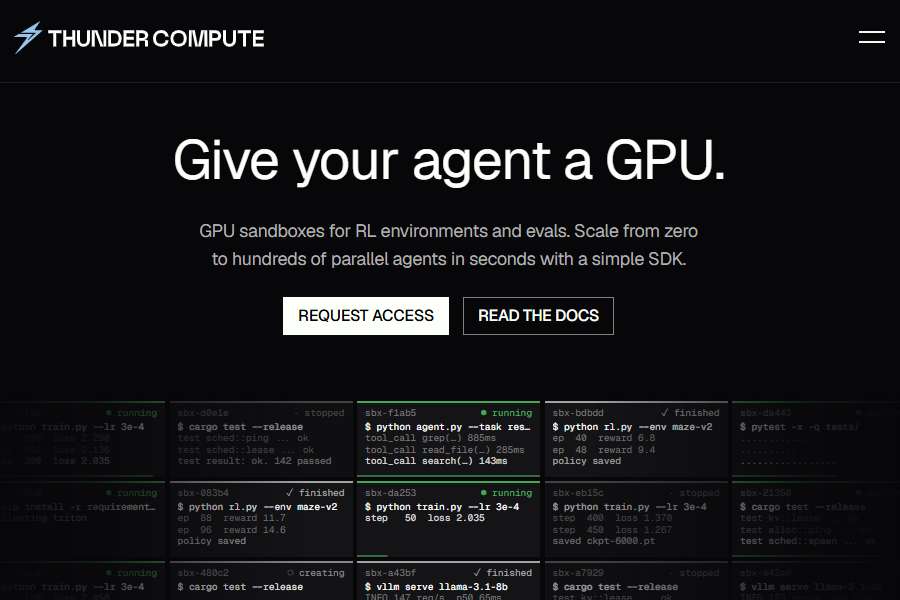
Commands in a Thunder Compute sandbox run as durable jobs that survive client disconnects. Network access can be closed, fully open or restricted to CIDR and domain allowlists. Thunder Compute sandboxes are ephemeral, and are enabled per organization.
Daytona Pricing vs Thunder Compute: On-Demand, Spot and Full Sandbox Cost
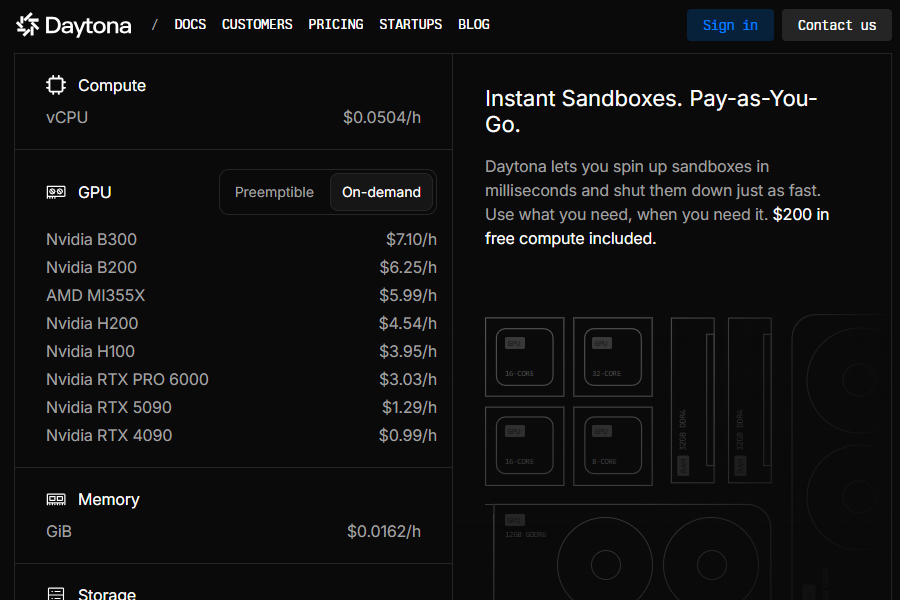
Thunder Compute's H100 costs $2.95/hr, and Daytona's on-demand H100 costs $3.95/hr. The other resources cost almost the same on both platforms:
- vCPU: ~$0.05/hr
- Memory: ~$0.016/GiB-hr
- Disk: ~$0.0001/GiB-hr
A full H100 sandbox with 8 vCPUs, 32 GiB of memory and 100 GiB of disk costs about $3.88/hr on Thunder Compute and $4.88/hr on Daytona on-demand.
When Daytona Spot Beats a Non-Preemptible Rate
Daytona's spot H100 costs $2.27/hr, cheaper than Thunder Compute, but only while evictions stay rare. Spot GPU sandboxes can be terminated at any time without notice, and Daytona sends no preemption warning. Evicted sandboxes stay retrievable for 24 hours.
For 1,000 eval runs of 20 minutes each, Daytona spot stays cheaper only while evictions waste less than about 71 GPU-hours. An evicted run restarts from scratch, because Daytona GPU sandboxes can't pause or keep memory state. Anything not saved outside the sandbox is lost. Daytona doesn't publish eviction rates, so teams have to measure lost GPU time on their own workloads.
Read nextGPU Sandbox Pricing. See the eviction math and full rate card in our GPU sandbox pricing comparison.
Isolation: Dedicated GPUs vs Firecracker MicroVMs
Daytona and Thunder Compute both keep each GPU to one sandbox. Daytona assigns GPUs exclusively and never shares them between sandboxes, and its GPU launch post describes passing the GPU directly into the sandbox VM. Thunder Compute runs every sandbox in a Firecracker microVM with its own guest kernel.
Firecracker doesn't support GPU passthrough; Thunder Compute uses custom software to support GPUs. Thunder Compute keeps Firecracker's small device model in place for GPU workloads.
Capacity, Lifecycle and Persistence
Daytona waits for capacity on your behalf, while Thunder Compute hands the decision back to your code. A Daytona on-demand request waits until a GPU frees up, and Daytona spot requests fail immediately. Thunder Compute returns a capacity error, sometimes with a suggested retry time, so your harness decides whether to wait or retry.
Daytona's lifecycle defaults can end a running GPU job. Daytona's auto-stop triggers after 15 minutes of inactivity even while internal processes are running, deleting the sandbox in the process. Thunder Compute sandboxes expire after 300 seconds by default in the SDK, and the timeout can be raised or disabled.
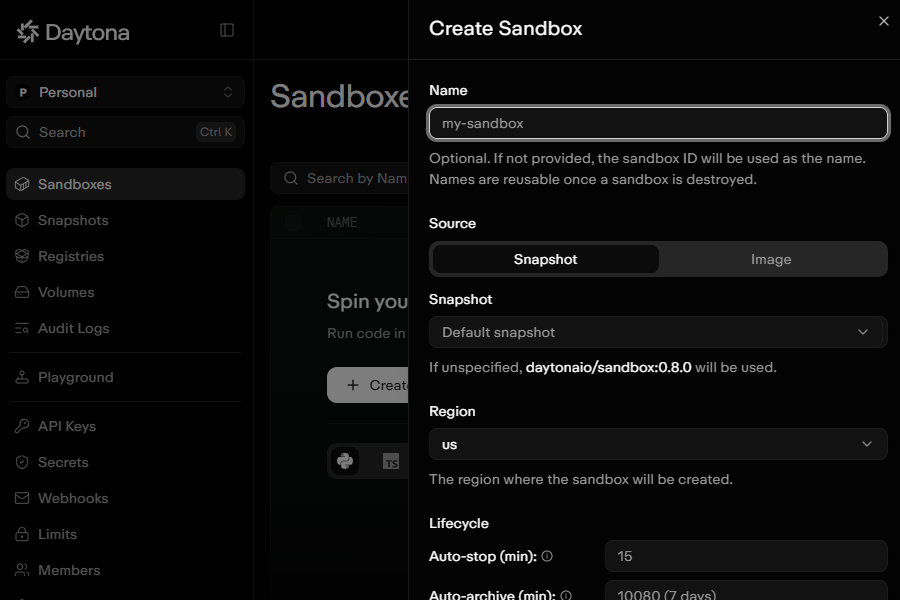
Neither platform keeps a GPU sandbox's files after it ends. Daytona offers filesystem snapshots, while Thunder Compute sandboxes are fully ephemeral, so download results before termination.
Get non-preemptible H100 sandboxes for $2.95/hr on Thunder Compute.
Last Thoughts on Daytona vs Thunder Compute
Daytona and Thunder Compute both offer GPU sandboxes that won't be preempted, so the choice comes down to hardware and price. Daytona wins on GPU variety, spot capacity and bring-your-own compute, while Thunder Compute wins on the cost of guaranteed runs.
FAQ
Is Thunder Compute Cheaper Than Daytona for GPU Sandboxes?
Yes, for non-preemptible capacity. Thunder Compute's H100 costs $2.95/hr against $3.95/hr on Daytona on-demand, and a full 8 vCPU, 32 GiB sandbox costs about $3.88/hr against $4.88/hr.
When Is Daytona Spot Cheaper Than Thunder Compute?
Daytona spot is cheaper if evictions waste little GPU time. For 1,000 eval runs of 20 minutes, Daytona spot stays cheaper only while evictions waste less than about 71 GPU-hours.
How Do Daytona and Thunder Compute Isolate GPU Sandboxes?
Daytona dedicates each GPU to a single sandbox and never shares it. Thunder Compute runs each sandbox in a Firecracker microVM with its own guest kernel.
Can I Use Daytona Free Credits on GPU Sandboxes?
No. Daytona's free credit balance isn't available for GPU sandboxes. Thunder Compute doesn't offer free credits.
Do Daytona or Thunder Compute Charge for Egress?
No. Daytona bills only reserved vCPU, RAM, disk and GPUs, and Thunder Compute bills only configured resources.