Top Multi-GPU Cloud Platforms for Distributed AI Training (December 2025)
Training modern AI models increasingly requires multi-GPU cloud infrastructure. Large language models, diffusion models, and multi-modal architectures quickly exceed the memory, compute, and throughput limits of single-GPU systems.
Today’s multi-GPU cloud solutions allow teams to scale training jobs across multiple GPUs, and often multiple nodes, without building and maintaining their own clusters. The challenge is choosing a platform that delivers low-latency networking, high-bandwidth storage, predictable pricing, and operational simplicity.
This guide compares the best multi-GPU cloud platforms for distributed training, with a focus on performance, scalability, and real-world usability.
What is Multi-GPU Cloud Training?
Multi-GPU cloud training distributes model computation and data across multiple GPUs to dramatically reduce training time and enable larger models.
Instead of weeks on a single GPU, distributed training can reduce workloads to days or even hours, provided the infrastructure supports:
- Fast GPU-to-GPU communication (NVLink or InfiniBand)
- High-throughput storage for checkpointing and datasets
- Stable, low-latency networking across nodes
Most high-throughput platforms for multi-GPU training operations rely on a combination of data parallelism, model parallelism, and pipeline parallelism.
Best Approaches for Scaling Training Jobs Across GPUs and CPUs
If you’re asking “what’s the best approach for scaling training jobs across GPUs and CPUs?”, the answer depends on workload characteristics:
- Data parallelism: Replicates the model across GPUs while splitting batches
- Model parallelism: Splits the model itself across GPUs (essential for large LLMs)
- Pipeline parallelism: Stages model execution to improve utilization
- CPU coordination: Handles data loading, preprocessing, and orchestration
Efficient scaling requires tight coordination between GPUs, CPUs, networking, and storage. Weakness in any layer creates bottlenecks that erase theoretical performance gains.
Key Infrastructure Requirements for Multi-GPU Training at Scale
Low-Latency Networking (NVLink & InfiniBand):
Distributed training involves constant gradient synchronization. The lowest latency networking providers for multi-GPU training typically use:
- NVLink for intra-node GPU communication
- InfiniBand or GPUDirect RDMA for multi-node scaling
Without these, adding GPUs can actually slow training.
High-Bandwidth Storage for Multi-GPU Training Environments
Storage is often overlooked, but it’s critical. High-bandwidth storage for multi-GPU training environments enables:
- Fast dataset streaming
- Frequent checkpointing without stalling GPUs
- Recovery from interruptions without losing progress
Persistent, high-throughput storage is especially important for long-running training jobs.
Serverless vs Cluster-Based Execution
Some platforms offer serverless multi-GPU training, while others focus on persistent clusters. Each has tradeoffs:
- Serverless: Rapid scaling, minimal ops, less control
- Clusters: Predictable performance, better networking, more setup
We cover this distinction in detail below.
Which Cloud GPU Providers Scale Best for Distributed AI Workloads?
If you’re evaluating which cloud GPU service supports multi-GPU scaling for AI workloads, these providers consistently stand out:
1. Thunder Compute: Best Overall Multi-GPU Cloud Platform
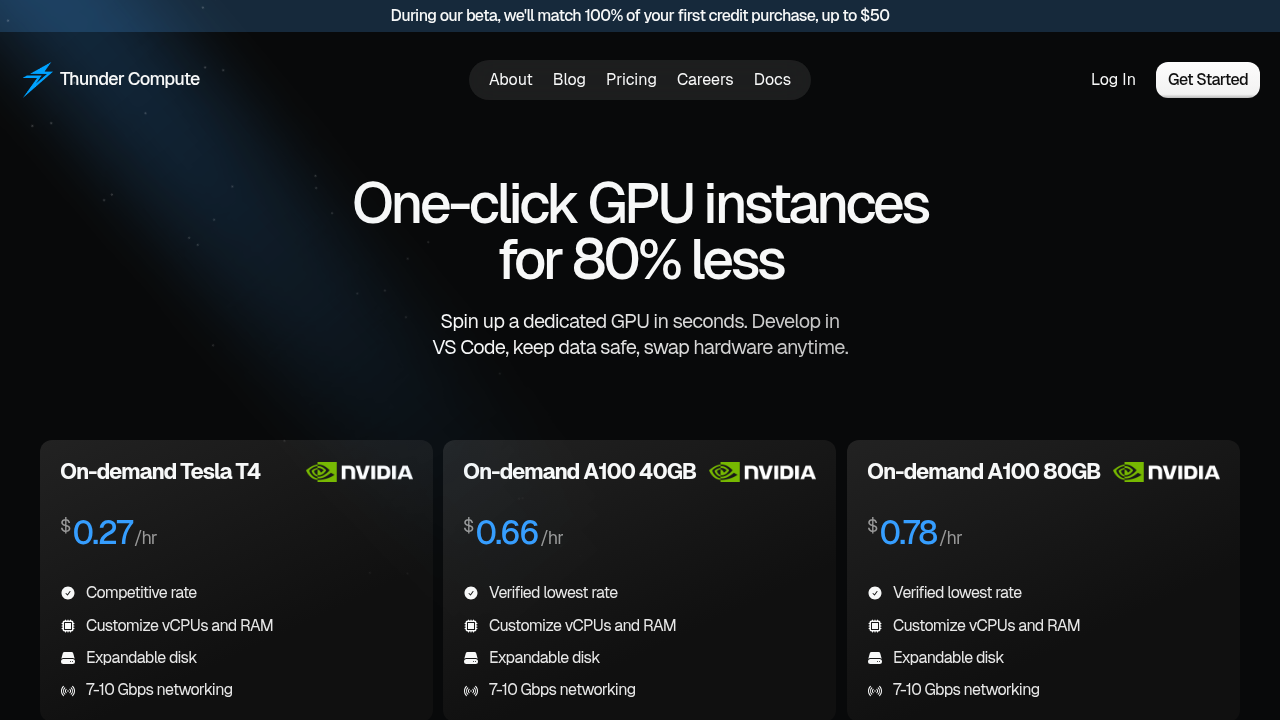
Thunder Compute is optimized for distributed AI workloads with a focus on cost efficiency and developer experience.
Why it stands out
- Supports up to 4 GPUs per instance with NVLink
- Persistent, high-bandwidth storage for checkpoint-heavy training
- One-click deployment with native VS Code integration
- Hardware swapping lets you scale GPU size mid-project without rebuilding environments
At $0.78/hour for A100-80GB, Thunder delivers enterprise-grade multi-GPU training at startup-friendly pricing—often 80% cheaper than hyperscalers.
Best for: Teams that want high-throughput multi-GPU training without DevOps overhead.
2. CoreWeave: Enterprise-Grade Distributed GPU Infrastructure
CoreWeave is built for organizations that need massive scale and custom configurations.
Strengths
- InfiniBand networking and GPUDirect RDMA
- Large multi-GPU and multi-node clusters
- Bare-metal performance
Tradeoff: Kubernetes-heavy workflows and significant operational complexity.
Best for: Enterprises with dedicated infrastructure teams. See Coreweave Versus Thunder Compute for a detailed analysis.
3. Lambda Labs
Lambda Labs offers multi-GPU clusters with Quantum-2 InfiniBand and preinstalled ML stacks.
Pros
- 1-Click GPU clusters
- Strong framework support
- Designed for research workloads
Cons
- Inconsistent H100 availability
- Less transparent pricing
Our Lambda Labs vs Thunder Compute comparison shows how different approaches affect project workflows.
4. RunPod
RunPod operates a marketplace model with both on-demand and serverless multi-GPU execution.
Pros
- Rapid autoscaling
- Serverless GPU workflows
- Wide hardware variety
Cons
- Unpredictable pricing
- Variable reliability depending on provider
Check out RunPod alternatives for affordable cloud GPUs that offer more predictable pricing structures.
Feature Comparison Table
Below is a side-by-side comparison of the 5 providers by key features. The comparison reveals major differences in approach and value proposition across providers. But, Thunder Compute stands out with the cheapest cloud GPU providers pricing while maintaining enterprise features like hardware swapping and native development environment integration
For teams looking at these options, our detailed RunPod vs CoreWeave vs Thunder Compute analysis provides deeper insights into how each provider handles real-world distributed training scenarios.
Final Verdict
Multi-GPU training is no longer optional for serious AI development—but infrastructure complexity shouldn’t slow teams down.
For most teams, Thunder Compute offers the best balance of cost, performance, and simplicity. Enterprise teams with deep DevOps expertise may prefer CoreWeave, while serverless workloads may fit RunPod.
The right platform depends on how often you scale, how tightly GPUs must synchronize, and how much operational burden your team can absorb.
FAQ
How do I set up multi-GPU training on cloud platforms?
Most platforms require complex configuration, but Thunder Compute offers one-click deployment with up to 4 GPUs per instance. You can launch directly through VS Code integration without manual SSH setup or CUDA driver installation, getting your distributed training environment ready in seconds.
What's the main difference between data parallelism and model parallelism in multi-GPU training?
Data parallelism splits your dataset across multiple GPUs while keeping the full model on each GPU, while model parallelism splits the model itself across GPUs. Most distributed training combines both techniques to get the best performance and handle models that exceed single GPU memory limits.
When should I consider upgrading from single-GPU to multi-GPU training?
Switch to multi-GPU when your model has billions of parameters or your datasets are too large for single GPU memory. If training time exceeds several days or you're hitting memory limitations with big AI models, multi-GPU setups can reduce training time from weeks to days.
Why does networking speed matter so much for distributed training?
GPUs need to constantly share gradients and model parameters during training, making high-bandwidth connections important for performance. Thunder Compute's 7-10 Gbps networking allows smooth gradient synchronization, while slower connections create bottlenecks that can actually make multi-GPU training slower than single-GPU setups.
Can I change GPU configurations mid-training without losing progress?
With Thunder Compute's hardware swapping feature, you can upgrade from smaller to larger GPUs without losing your environment or data. This unique feature removes the migration overhead that typically costs teams days of setup time when scaling resources during long training runs.
Final thoughts on choosing the best multi-GPU cloud providers
Multi-GPU training doesn't have to break your budget or require a DevOps team to manage. The clear winner here is Thunder Compute with its unbeatable pricing, hardware swapping features, and developer-friendly approach that removes the usual complexity. While other providers force you to choose between cost and features, Thunder delivers both without compromise. Your next distributed training project deserves infrastructure that works as hard as you do.