GPU as a Service (GPUaaS) is a cloud computing model that lets you rent high-performance GPUs over the internet. Instead of buying and maintaining physical hardware, you pay only for the compute you use.
Hardware has become a serious bottleneck for AI development. Data scientists training LLMs, researchers running molecular dynamics, and teams building image generation pipelines all face the same constraint: GPUs are expensive to buy and hard to source. GPUaaS removes that barrier.
This guide covers the GPU as a Service market, how billing works, and how to choose the right provider.
How Big Is the GPU as a Service Market?
The generative AI boom has driven up prices for GPUs, RAM, and NVMe drives. Renting server capacity instead of buying it has become the practical default for most teams.
Estimates vary, but most place the 2025 GPUaaS market between $5B and $8B worldwide. SNS Insider puts 2025 at $5.59B, with projections reaching $73.69B by 2035. Every forecast agrees on the direction: sustained, rapid growth.
How Does GPUaaS Billing Work?
To truly understand Cloud GPUs, you need to understand the mechanics behind the billing.
Many users are surprised by their first GPU cloud bill, and not because of the compute rate. Unexpected fees are usually the culprit. Understanding the billing mechanics upfront saves money.
Check out more definitions for key cloud computing terminology.
On-Demand vs. Spot Pricing
Most GPUaaS providers offer two pricing tiers:
- On-Demand: The instance is yours until you stop it. Best for interactive work like Jupyter Notebooks, where an unexpected shutdown would break your session.
- Spot (or Preemptible): Spare capacity rented at a steep discount, often 40-90% off. The provider can reclaim the instance with as little as 30 seconds' notice.
Workload resilience is the deciding factor. If your job can restart cleanly from a checkpoint, Spot pricing is worth considering. If continuity matters, On-Demand is the only safe option.
Learn when to choose on-demand vs spot instances.
Egress Fees: The "Exit Tax"
Egress fees are the most common billing surprise in GPUaaS. Uploading data (ingress) is almost always free, but moving data out of the provider's network often is not.
A concrete example: you train a 50GB model on a remote cluster, then download the weights. Some providers add a line item to your bill for that data transfer alone.
Read our breakdown of egress fees on cloud GPUs.
Contracts and Commitments
Enterprise cloud providers favor 1-year or 3-year "Reserved Instance" contracts. They offer lower hourly rates in exchange for fixed commitments.
- Benefits: Reduced hourly rates and a full infrastructure SLA.
- Drawbacks: You are locked in. You cannot switch to a better GPU released mid-term, and you cannot pivot if project requirements change.
For most startups and independent researchers, no-contract per-minute billing is the smarter option. It lets you move from an RTX A6000 for early tests to an NVIDIA A100 for data prep to an NVIDIA H100 for final training runs, without any commitment overhead.
What Are the Benefits of GPU as a Service?
Renting GPU compute beats building your own rig in three specific ways:
- Cost efficiency. Buying a single NVIDIA H100 costs $25,000-$40,000 or more, depending on the variant. GPUaaS gives you access to the same on-demand hardware starting at $3.20/hr, with no upfront capital required.
- Instant scalability. Need one RTX A6000 today and eight NVIDIA A100s tomorrow? Cloud providers let you scale up or down on demand, without the bottlenecks that come with fixed hardware. See our guide to avoiding multi-GPU training bottlenecks.
- Zero maintenance. The provider handles electricity, cooling, and hardware failure. You focus on the project.
How Do I Choose the Right GPU?
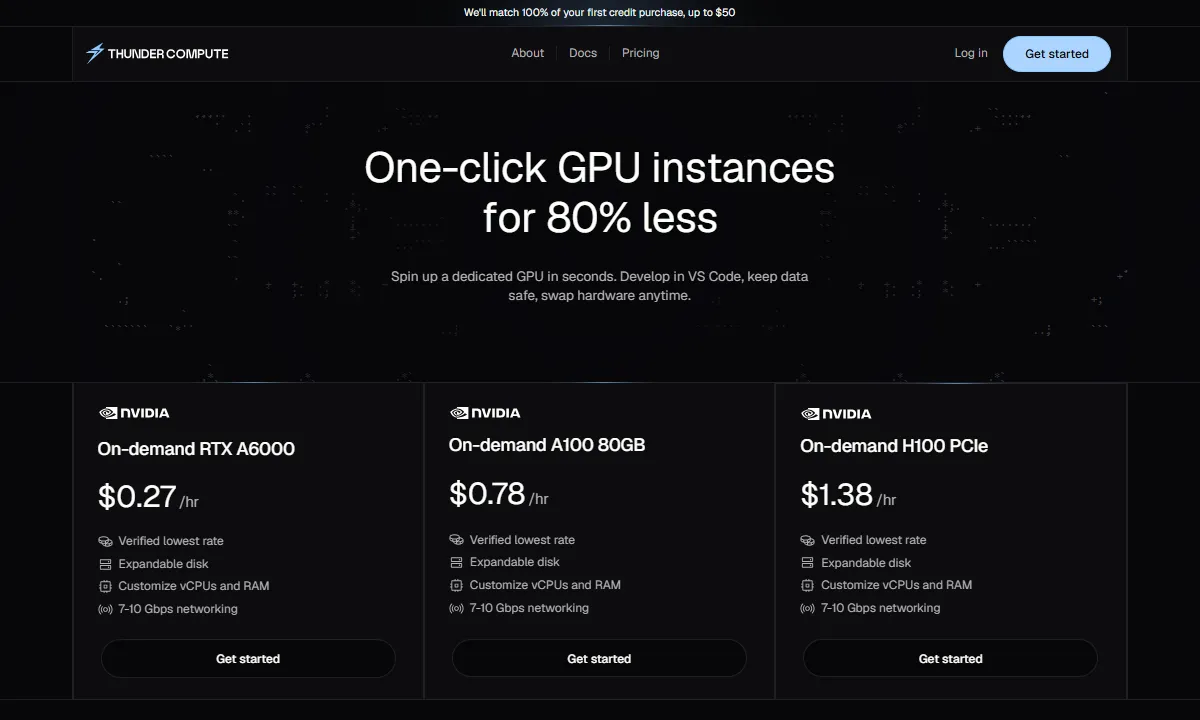
The right GPU depends on your workload's VRAM requirements and compute intensity. Thunder Compute offers a curated selection matched to common AI use cases.
| GPU Model | Starting Price | Best Use Case |
|---|---|---|
| NVIDIA RTX A6000 | $0.35/hr | Mid-tier Inference:48GB VRAM makes it a favorite for basic AI workloads. |
| NVIDIA A100 | $1.09/hr | Deep Learning Workhorse: High-speed memory ideal for large data processing and model training. |
| NVIDIA L40 | $0.99/hr | Generative AI & Media: Optimized for mid-sized LLM inference, image/video generation, and professional 3D rendering. |
| NVIDIA H100 | $3.20/hr | AI Gold Standard: The leading choice for training LLMs or fine-tuning massive models. |
How Do I Evaluate a GPU as a Service Provider?
Hourly GPU rates only tell part of the story. A provider that looks cheap can cost more once you add egress fees, minimum billing increments, and setup time. Evaluate providers on these six criteria before committing.
- Billing granularity. Per-minute or per-second billing prevents paying for idle time. Hourly billing rounds every short job up to a full hour.
- Total cost beyond the headline rate. Check for egress fees, storage charges, and minimum session lengths.
- GPU availability and inventory transparency. Real-time visibility into available hardware matters more than a published catalog.
- Deployment flexibility. Look for support for both persistent instances and on-demand spin-up, so you only pay for what you need.
- Developer experience. IDE integration, prebuilt templates, and REST APIs determine how quickly your team becomes productive.
- Contract terms. No-contract, pay-as-you-go pricing keeps you free to change GPU types or providers as your project evolves.
Run a small test workload before committing. The platform that gets your team productive fastest usually delivers the best long-term value.
How Thunder Compute Stands Out
Thunder Compute is built for developers who want high performance without cloud friction. Applying the criteria above to the most commonly considered providers shows where the differences land.
| Provider | Billing Granularity | Egress Fees | Developer Tooling |
|---|---|---|---|
| Thunder Compute | Per-minute | None | VS Code integration |
| Runpod | Per-second | None1 | REST API, Docker templates |
| Vast.ai | Per-second | Varies by host2 | CLI, API, community templates |
| Lambda | Per-minute | None1 | Prebuilt ML stack, Jupyter notebooks |
| Hyperscalers (AWS, GCP, Azure) | Per-second to per-minute | Typically charged | Extensive but complex |
| 1 Runpod and Lambda do not charge egress fees on standard instances. Verify current terms before deploying. 2 Vast.ai is a marketplace, so egress terms vary by individual host. | |||
Where Thunder Compute differentiates is developer experience: direct VS Code integration means your team is up and running without a lengthy environment setup, and per-minute billing keeps short jobs cost-efficient.
Spin up an A100 for $1.09/hr in minutes.
Picking GPU as a Service Companies
Several guides on the Thunder Compute blog go deeper on specific provider decisions.
Free Cloud GPU Credits
Many providers offer free credits to help new users get started. This guide breaks down how to stack credits from programs like NVIDIA Inception and AWS Activate.
GPU Clouds for Jupyter Notebook Development
For data scientists, the environment matters as much as the hardware. This guide reviews platforms with pre-configured JupyterLab and PyTorch setups, and highlights which ones let you pause instances without losing state.
Cloud GPU Providers with Pre-Configured Jupyter Environments
Best GPU Cloud for Startups
Startups need raw power and cost efficiency at the same time. This post evaluates the GPUaaS market from a founder's perspective, focusing on hardware access without multi-year contracts or hidden egress fees.
Last Thoughts on GPU as a Service
GPU as a Service has become the default way to access high-performance compute. Renting gives you the flexibility to experiment, scale, and switch hardware without committing to infrastructure decisions that lock you in.
Try Thunder Compute GPUs with per-minute billing and no egress fees.
FAQ
What is GPU as a Service (GPUaaS)?
GPUaaS is a cloud computing model that lets you rent high-performance GPUs over the internet instead of buying hardware. You pay only for the compute you use, typically by the minute or hour.
Can Cloud GPUs be used for Gaming?
Only platforms built for gaming, like NVIDIA GeForce NOW, support cloud gaming. Professional GPUaaS providers like Thunder Compute target AI training and computational research, not consumer gaming.
What are cloud GPU egress fees?
Egress fees are charges for moving data out of a provider's network. Ingress (uploading) is usually free, but downloading large model weights can add unexpected costs. Some providers, like Thunder Compute, charge no egress fees.
What is the difference between On-Demand and Spot pricing?
On-Demand pricing gives you uninterrupted GPU access at a fixed rate. Spot pricing is heavily discounted but interruptible: the provider can reclaim the instance with as little as 30 seconds' notice.
What should I look for when evaluating a GPUaaS provider?
Prioritize billing granularity, total cost including egress fees, real-time GPU availability, deployment flexibility, and contract terms. A provider with no egress fees and per-minute billing often costs less than a cheaper headline rate with hidden charges.
What types of workloads use GPU as a Service?
GPUaaS is used for AI model training, inference, image and video generation, 3D rendering, scientific simulation, and large-scale data processing. It fits any compute-intensive task that runs intermittently or requires more GPU power than local hardware can provide.