The cheapest GPU cloud is rarely the one with the lowest advertised rate. Hidden fees, billing rounding, and reliability gaps routinely flip a seemingly cheap option into an expensive one. This guide ranks the most affordable providers and shows you how to evaluate total cost before you sign up.
- Thunder Compute offers low stable on-demand rates and managed availability: A100 80 GB at $1.09/hr, RTX A6000 at $0.35/hr, H100 PCIe at $3.20/hr.
- Spot pricing cuts GPU costs by 60-90%, but instances can be reclaimed with as little as 30 seconds of notice.
- Per-minute billing saves ~40% vs hourly on short or bursty jobs. Per-second billing adds little more, except for very short, spiky work.
- Consumer GPUs (RTX 4090, RTX 5090, L4) start below $0.40/hr on marketplaces.
- Hyperscalers (AWS, GCP, Azure) cost 3-10x more on-demand, but offer deeper ecosystem integrations.
Pricing overview across GPU cloud platforms
| Provider | NVIDIA RTX A6000 /GPU-hr | NVIDIA A100 80 GB /GPU-hr | NVIDIA L40 48 GB /GPU-hr | NVIDIA H100 80 GB /GPU-hr | Free Credits |
|---|---|---|---|---|---|
| Thunder Compute | $0.35 | $1.09 | $0.79 | $3.20 | Free $20 for students |
| Vast.ai | - | $1.50 | $0.53 | $4.44 | - |
| Hyperstack | $0.50 | $1.35 | $1.00 | $2.50 | - |
| Runpod | $0.53 | $1.59 | $0.82 | $3.49 | - |
| Crusoe Cloud | - | $2.00 | - | $3.90 | - |
| AWS | - | $3.43 | - | $6.88 | 750hr t2.micro + startup credits |
| Lambda | N/A | $2.79 | - | $3.29 | - |
| Hyperbolic | - | - | - | $3.19 | - |
| CoreWeave | - | $2.70 | $1.25 | $6.16 | - |
| Nebius | - | - | - | $4.50 | - |
| Google Cloud | - | $5.03 | - | $10.98 | 90-day $300 credit |
How To Find The Cheapest Cloud GPU (Without Overpaying)
The advertised GPU hourly rate is the most-compared number. Two instances at the same headline price can produce different bills once you account for bundled vs. unbundled resources, billing granularity, and reliability.
Look Past The Advertised Rate
Some platforms quote a low GPU rate and bill CPU, RAM, and storage separately. A GPU at $1.50/hr that needs $0.50/hr of CPU and storage costs more in practice than an all-in $1.80/hr instance. Price the full instance you would actually run, not just the GPU line item.
Watch For Egress And Storage Fees
Egress fees are where hyperscaler bills quietly grow. AWS, GCP, and Azure charge for outbound data egress, so moving datasets or model checkpoints off-platform adds cost that never appears in the GPU rate. Some providers also charge for attached storage volumes while instances are stopped, so an "idle" GPU is not always free.
Factor In Reliability Cost
An interrupted training job costs more than a slightly higher hourly rate. If a marketplace instance drops your run twice and you lose hours of progress, the cheaper sticker price ends up more expensive than a stable instance that completes the job once. For workloads longer than a quick experiment, stable on-demand access is usually cheaper when you count wasted compute.
Check Billing Granularity
Hourly billing charges a full hour for any partial use. Per-minute billing cuts costs by roughly 40% on spiky or short workloads. Per-second billing saves little more, except on very short bursts.
Spot Pricing vs. On-Demand: Where The Cheap Cloud GPU Savings Actually Come From
Spot instances are unused GPU capacity sold at a steep discount, often 60-90% below on-demand rates.
**The tradeoff is interruption risk. **Spot capacity can disappear with as little as 30 seconds of notice. Workloads must checkpoint and resume to use it safely.
| Pricing model | Typical discount | Interruption risk | Best for |
|---|---|---|---|
| On-demand | Baseline | None | Development, inference APIs, training you cannot afford to restart |
| Spot / interruptible | ~60% to 90% off | High (reclaimed on short notice) | Checkpointed training, batch jobs, fault-tolerant workloads |
| Reserved / committed | ~30% to 60% off | None | Steady, predictable long-running workloads |
Which Cloud GPU Providers Offer Per-Minute Billing?
Billing granularity decides how much of your bill is compute you actually used versus rounding. Hourly billing charges a full hour for a 5-minute job.
For most workloads, per-minute billing captures the bulk of the savings over hourly, landing roughly 40% lower on short or bursty jobs. Per-second billing adds little for longer sessions, but it can matter for very short, spiky work, such as an agent running code in bursts of a few seconds at a time.
The table below shows the billing model each provider uses so you can match it to how you actually run jobs.
| Provider | Billing granularity | On-demand model |
|---|---|---|
| Thunder Compute | Per-minute | On-demand, no commitment |
| Runpod | Per-second | On-demand, no commitment |
| Vast.ai | Per-minute | Marketplace, variable availability |
| Crusoe Cloud | Per-minute | On-demand, reservations for discounts |
| Lambda | Per-hour | On-demand, reservations for clusters |
| CoreWeave | Per-hour | On-demand or reserved, only multi-GPU nodes |
| AWS / GCP / Azure | Per-second (varies by service) | On-demand, reserved, and spot tiers |
For workloads that start and stop often, per-minute billing keeps the meter close to real usage. See Thunder Compute's per-minute GPU pricing for current rates.
What Your Budget Buys on Thunder Compute
A concrete way to think about low-cost GPU access is how many hours a monthly budget actually gets you.
| Monthly budget | Recommended GPU | Approx. runtime | Good for |
|---|---|---|---|
| $50/mo | RTX A6000 (48 GB) at $0.35/hr | 143 hrs (~35 hrs/week) | Inference, image generation, LoRA fine-tuning, dev environments |
| $100/mo | A100 80 GB at $1.09/hr | 92 hrs (~23 hrs/week) | Fine-tuning larger models, heavier training runs |
| $200/mo | H100 PCIe (80 GB) at $3.20/hr | ~62 hrs (~15 hrs/week) | Fast training bursts, high-throughput inference |
The Cheapest GPU Cloud Options: Consumer-Tier Cards
Consumer-grade GPUs are the cheapest cloud compute when your model fits in 24-32 GB of VRAM. The RTX 4090, RTX 5090, NVIDIA L4, and RTX A5000 handle single-GPU inference, image generation, LoRA fine-tuning, and local LLM experiments at a fraction of data-center GPU rates. On marketplace platforms, these cards routinely start below $0.50/hr.
| GPU | VRAM | Starting rate1 | Good for |
|---|---|---|---|
| NVIDIA RTX A5000 | 24 GB | $0.23/hr | Inference, testing, dev environments |
| NVIDIA L4 | 24 GB | $0.70/hr | Efficient inference, light fine-tuning |
| NVIDIA RTX 4090 | 24 GB | $0.50/hr | Image generation, 7B to 13B LLMs |
| NVIDIA RTX 5090 | 32 GB | $0.69/hr | Longer context, 30B-class quantized LLMs |
| 1 Representative low-end marketplace rates. Consumer-card pricing and availability vary by host, region, and demand. | |||
Thunder Compute's RTX A6000 is the better floor for developers who want consumer-tier pricing with datacenter reliability. At $0.35/hr it matches marketplace consumer cards on price, but delivers 48 GB of VRAM (double the RTX 4090's 24 GB and 50% more than the RTX 5090's 32 GB).
1. AWS, GCP, Azure, Oracle (the big guys)
| Pros | Cons | Best for |
|---|---|---|
| - Huge product catalog - (Kubernetes, object storage, managed AI) |
- Most expensive GPU hours. - Data-egress lock-in. - Steep learning curve |
- Enterprises already married to a hyperscaler. - VC-funded startups burning credits |
AWS, GCP, Azure, and Oracle are the most expensive GPU cloud providers on an on-demand basis, but the most feature-complete. They offer built-in Kubernetes, managed AI services, object storage, and compliance tooling that specialized GPU clouds do not match. Teams already embedded in a hyperscaler's ecosystem often find the total cost defensible once egress, tooling, and integrations are factored in.
Startups should check each provider's credit programs, which can total hundreds of thousands of dollars. For teams without an existing cloud presence who want to get started quickly, the per-GPU rate and setup complexity make hyperscalers a poor first choice.
Recommended reads:
- AWS P5 vs Thunder Compute
- Thunder Compute vs GCP
- Azure NC A100 vs Thunder Compute.
- Oracle Cloud OCI GPU pricing
2. Thunder Compute
| Pros | Cons | Best for |
|---|---|---|
| - On-demand GPUs 71-78% cheaper than GCP. - One-click VSCode integration. - "Production mode" with maximum reliability and multi-GPU configs. |
- Does not support autoscaling. - No clusters available for large-scale training |
- Researchers. - Startups. - ML Engineers |
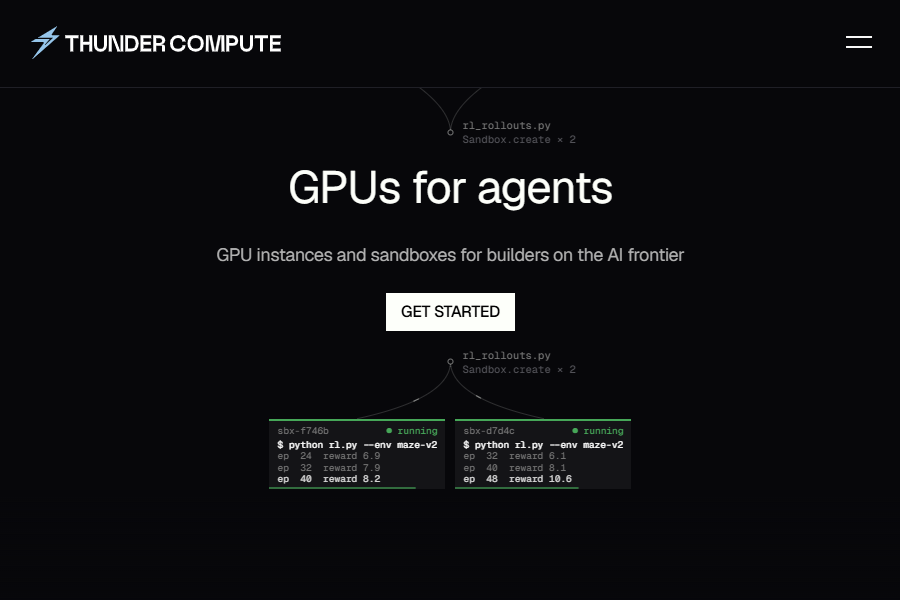
Thunder Compute features cost-efficient rates and a simple user experience.
- On-demand instances for startups, research, and development.
- Dedicated A100 hosts in U.S. data-centers.
- Billed by the minute making it great for bursty workloads.
This solution is best suited for developers looking for the best bang for their buck.
| GPU Model | VRAM | Hourly On-Demand Rate |
|---|---|---|
| NVIDIA RTX A6000 | 48 GB | $0.35/hr |
| NVIDIA A100 | 80 GB | $1.09/hr |
| NVIDIA L40 | 48 GB | $0.79/hr |
| NVIDIA H100 PCIe | 80 GB | $3.20/hr |
Use Thunder Compute's VS Code extension to launch an A100 80 GB in one click.
3. HyperStack
| Pros | Cons | Best for |
|---|---|---|
| - High-speed networking and low-latency interconnects. - 1-click deployment, hibernation, and on-demand Kubernetes. - Integrated AI Studio for training and evaluation. - Wide range of NVIDIA GPUs (A100, H100, H200) |
- Not focused on low-cost GPUs. - Requires familiarity with AI/ML workloads. - High demand can occasionally impact stock |
- Companies building production AI/ML pipelines. - Organizations scaling GenAI inference. - Teams needing premium hardware with a simplified software stack |
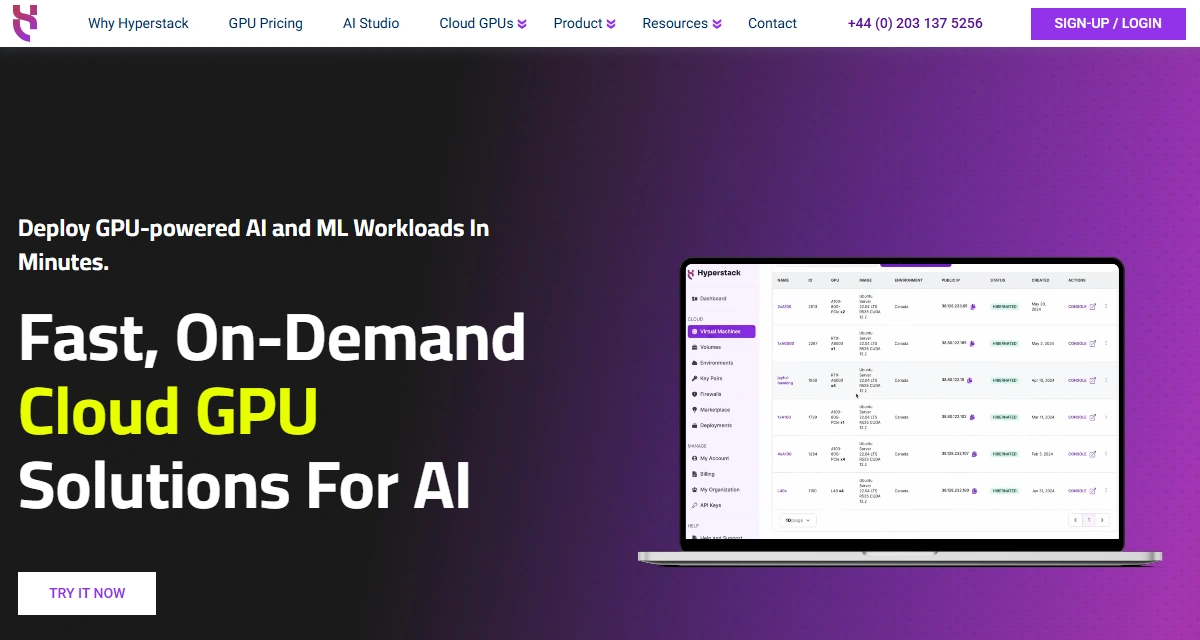
Hyperstack is a high-performance cloud GPU platform built for AI, ML, generative AI and HPC workloads.
With reservation discounts, spot VMs and hibernation, Hyperstack lowers costs without compromising performance. Its NVMe storage enables fast data access, though some GPUs may be temporarily unavailable during peak demand.
4. Lambda
| Pros | Cons | Best for |
|---|---|---|
| - GPU clusters with InfiniBand. - Colocation options for custom hardware setups. |
- Higher on-demand rates (starting from $2.79/A100). - Limited self-service regions compared to hyperscalers. |
- Research organizations looking for multi-GPU clusters. |
Lambda specializes in GPU clusters for large-scale AI training, offering InfiniBand-connected clusters and colocation for teams that need a mix of cloud and on-premises hardware. Its on-demand rates are higher than most alternatives in this guide. Lambda charges for persistent storage even when instances are stopped, which adds ongoing cost for projects that pause frequently.
Read more about Lambda vs Thunder Compute and Lambda Alternatives.
5. Runpod
| Pros | Cons | Best for |
|---|---|---|
| - Container auto-scale with fast (FlashBoot) cold starts. - A100 pricing starting from $1.59/hr. |
- Community-tier GPUs can be less reliable. - Documentation skews heavily toward inference use-cases |
- Deploying production inference at the lowest possible cost. |
RunPod is designed for container-based deployment with fast FlashBoot cold starts and auto-scaling, positioned between Modal and bare-metal providers on price and developer experience. Community-tier GPUs are cheaper but less reliable. Users report reliability concerns at scale, which limits its viability for production inference that requires consistent uptime.
Read more about Runpod vs Thunder Compute and Runpod vs. CoreWeave.
6. Modal
| Pros | Cons | Best for |
|---|---|---|
| - Slick Python-native serverless API. - Zero cold-start headaches. |
- Container annotations add DX tax. - Highest $/GPU-hr on this list. |
- Teams who value development speed over price. |
Modal is a Python-native GPU platform with strong developer experience and zero cold-start overhead. Deploying to Modal requires annotating Python code to containerize and scale functions.
It runs on Oracle Cloud infrastructure, with support for AWS, GCP, and Azure. Its main drawback is cost: Modal tends to have higher per-GPU-hr rates than most alternatives on this list.
7. Vast.ai
| Pros | Cons | Best for |
|---|---|---|
| - Lowest median marketplace price (V100-class GPUs from $0.24/hr). | - UI friction. - Poor reliability. - Bandwidth charges. |
- Batch rendering / one-off experiments on a shoestring budget. |
Vast.ai is a peer-to-peer GPU marketplace where individual hosts list hardware. It is primarily container-based, with limited Virtual Machine support now rolling out. Prices are the lowest available for interruptible workloads, but reliability varies significantly by host.
Read more about Vast.ai vs Thunder Compute.
8. CoreWeave
| Pros | Cons | Best for |
|---|---|---|
| - Kubernetes-native platform with strong multi-GPU and InfiniBand options. - Fast storage and enterprise cluster tooling. |
- Higher on-demand pricing than most alternatives. - Hourly billing. - Requires Kubernetes knowledge to use well. |
- Ops-heavy teams running large training clusters or reserved enterprise workloads. |
CoreWeave is built for teams that operate at cluster scale with Kubernetes, Slurm, or custom schedulers. It offers high-performance InfiniBand networking, fast storage, and reserved GPU environments suited to large training runs.
CoreWeave's pricing is significantly higher than Thunder Compute on equivalent GPUs, and the platform assumes Kubernetes fluency. It is not the right fit for budget-conscious developers or small teams.
Read more about CoreWeave vs Thunder Compute and CoreWeave Pricing Review.
9. Crusoe Cloud
| Pros | Cons | Best for |
|---|---|---|
| - Solid enterprise GPU inventory. - Minute-level billing. - Strong fit for longer-running AI infrastructure projects. |
- A100 and H100 pricing is higher than Thunder Compute. - Full-node and allocation limits can reduce flexibility. - Better discounts usually require longer commitments. |
- Teams that want enterprise GPU capacity and can plan around reservations or larger deployments. |
Crusoe Cloud sits between hyperscalers and developer-first GPU clouds. It offers enterprise GPU capacity, minute-level billing, and a fit for teams that plan workloads in advance and can commit to reservations.
For smaller teams and indie developers, the value case is harder: Crusoe's A100 and H100 pricing is higher than Thunder Compute's, and its larger-allocation model reduces flexibility for teams that resize workloads frequently.
Read more about Crusoe Cloud vs Thunder Compute.
10. Nebius
| Pros | Cons | Best for |
|---|---|---|
| - Strong enterprise AI positioning. - High-end GPU infrastructure. - Focus on large-scale training environments. |
- No public RTX A6000 or A100 price in the pricing dataset. - Higher H100 pricing than Thunder Compute. - Enterprise-oriented setup and contracts make it less friendly for small teams. |
- Companies that need large distributed training infrastructure and can handle a more enterprise procurement process. |
Nebius targets organizations training and serving models at larger scale. It positions itself closer to enterprise AI cloud than lightweight GPU rental, with an emphasis on infrastructure capacity over rapid self-serve workflows. For development, fine-tuning, or small-team experimentation, simpler pay-as-you-go options are usually a better fit.
Read more about Thunder Compute vs Nebius.
11. Hyperbolic
| Pros | Cons | Best for |
|---|---|---|
| - Marketplace-style GPU access can surface competitive H100 pricing. - Broad decentralized supply. |
- Pricing can change with marketplace dynamics. - Reliability depends on third-party suppliers. - Harder to budget for production workloads. |
- Experimental jobs, inference experiments, and cost-sensitive users comfortable with marketplace variability. |
Hyperbolic uses a marketplace-driven model rather than managed GPU infrastructure. This can produce attractive pricing on specific GPU SKUs for users who tolerate variable availability. Marketplace pricing and supplier-dependent reliability make Hyperbolic better suited for opportunistic workloads than for production operations that require stable cost planning.
Read more about Thunder Compute vs Hyperbolic.
Last Thoughts on Cheapest Cloud GPUs
Match cost, reliability, and ecosystem fit to your workload before committing to a provider. For most developers and small teams, Thunder Compute's on-demand per-minute billing is among the most cost-efficient starting points. You can always scale up or move to reserved capacity later.
Read nextIf you work at a startup, check out our analysis of Startup-Friendly GPU Cloud Providers for tailored recommendations.
FAQ
What is the lowest-cost cloud GPU provider in 2026?
For reliable on-demand GPUs, Thunder Compute is among the lowest-priced at $1.09/hr for an A100 80 GB and $3.20/hr for an H100 PCIe. Spot marketplaces like Vast.ai can go lower for interruptible workloads; AWS and GCP sit at the top of the range.
How much does it cost to rent an A100 GPU per hour?
On-demand A100 80 GB runs from $1.09/hr to over $5/hr across providers. Thunder Compute's rate is $1.09/hr, compared with $5.03/hr on GCP for the same card.
What is the best low-cost cloud GPU for development?
For development work, an RTX A6000 (48 GB) at $0.35/hr or an A100 80 GB at $1.09/hr on Thunder Compute give you reliable on-demand access. Consumer cards like the RTX 4090 rent cheaper on marketplaces, with less predictable availability.
Which cloud GPU providers offer per-minute billing?
Thunder Compute, Vast.ai, and Crusoe Cloud bill by the minute; Runpod bills by the second; Lambda and CoreWeave bill by the hour. For short or bursty jobs, per-minute billing runs roughly 40% below hourly because you are not charged for a rounded-up full hour.
What hidden fees should I watch for when renting cloud GPUs?
Watch for outbound data egress fees (common on AWS, GCP, and Azure), storage charges on stopped instances, and unbundled CPU and RAM costs that raise the effective hourly rate above the advertised GPU price.
Are cheap marketplace GPUs worth the reliability tradeoff?
For short experiments, marketplace GPUs offer the lowest prices and the reliability risk is minor. For longer training runs, a dropped instance can cost more in lost progress than a stable instance would have cost outright.