Computer vision workloads need fast GPUs, enough VRAM, and a workflow that does not slow down model development. The best GPU cloud for computer vision depends on whether your team values the lowest price, the simplest workflow, or broader infrastructure controls.
Thankfully, there are options that combine enterprise-grade hardware with developer-friendly pricing and smooth IDE integration.
Breakdown
- Computer vision GPU training costs can be 50-80% less on specialized providers vs AWS/Google Cloud.
- Thunder Compute offers A100 80GB instances at $1.09/hr with VS Code integration and hardware swapping.
- Runpod and Vast.ai can be attractive on price, but each comes with more workflow trade-offs for long-running jobs.
- Thunder Compute lets teams move from RTX A6000 development to A100 80GB or H100 80GB training without rebuilding the environment.
- Thunder Compute combines low pricing, persistent storage, and IDE-first workflows for developers, researchers, and startups.
What Is Computer Vision on GPU Cloud Computing?
Running Computer vision on GPU cloud computing means renting remote GPU servers to train or run models that process images and video. These workloads include image classification, object detection, instance segmentation, video understanding, and multimodal vision pipelines.
GPUs matter because computer vision workloads rely on parallel computation. GPUs can process large image batches and tensor operations much faster than CPUs, which makes them the standard choice for serious training and inference.
Computer vision projects also tend to be bursty. Teams often need a single GPU for experimentation, then more GPU memory or faster hardware for larger runs. Cloud GPUs make that pattern practical because teams can scale up for training and scale down when a run is finished.
Thankfully, cloud GPU services eliminate the need to purchase expensive hardware. A high-end GPU costs $15,000+, but you can rent one for under $1/hr making advanced computer vision accessible.
The cloud approach is also flexible; you can scale from one GPU for development to multiple GPUs for production, then scale back down when projects finish. However, scaling isn't always linear and understanding common multi-GPU training bottlenecks is essential before large-scale runs.
How We Ranked the Best GPU Clouds for Computer Vision Projects
We ranked GPU cloud providers using the factors that most directly affect real computer vision workflows.
- Pricing and value. We compared hourly rates for identical GPU configurations across providers. Computer vision training often runs for hours or days, so hourly pricing matters.
- Hardware Performance. We assessed available GPU types, VRAM capacity, and memory bandwidth. We focused on GPUs that are commonly useful for computer vision, including RTX A6000, A100 80GB, and H100 80GB.
- Development experience. We considered environment setup, IDE support, storage persistence, and how quickly a team can start coding.
- Scalability. We looked at how easily users can move from a smaller GPU to a larger one as workloads grow.
- Reliability. Long-running training jobs need stable infrastructure and low-friction recovery options.
More details on choosing the right GPU for AI workloads can help refine the decision.
Pricing Snapshot for Common Vision GPUs
Below are current rates for several common computer vision GPU options.
| Provider | RTX A6000 | A100 80GB | H100 80GB |
|---|---|---|---|
| Thunder Compute | $0.35/hr | $1.09/hr | $3.20/hr |
| Runpod | $0.53/hr | $1.59/hr | $3.49/hr |
| Vast.ai | $0.51/hr | $1.50/hr | $4.44/hr |
| Lambda | N/A | $2.79/hr | $3.29/hr |
| Google Cloud | N/A | $5.07/hr | $11.06/hr |
Thunder Compute is the lowest-cost stable on-demand option for RTX A6000 and A100 80GB in this comparison. Vast.ai can still offer marketplace flexibility, but the model introduces more operational variability.
1. Thunder Compute: Best Overall
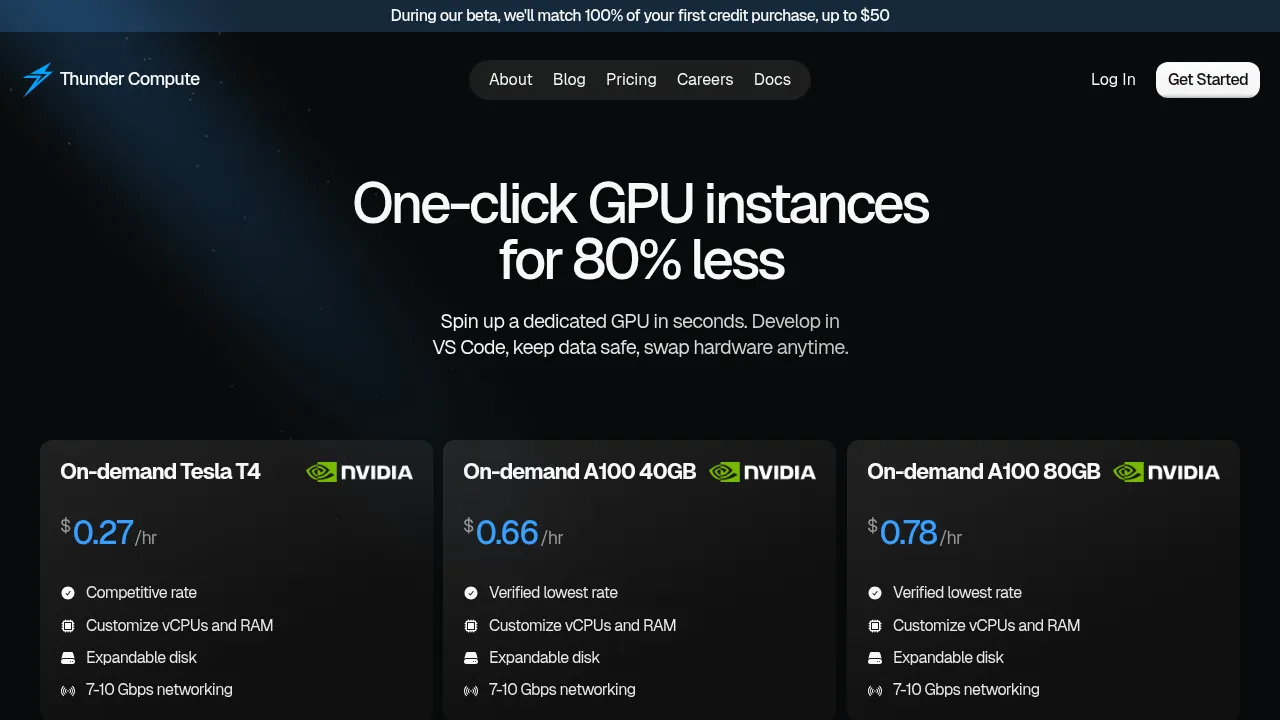
Thunder Compute is the best overall fit for many computer vision teams because it combines low pricing with a workflow that is easy to use. Thunder Compute lists A100 80GB at $1.09/hr and RTX A6000 at $0.35/hr, which makes it easier to keep long experiments and repeated training cycles affordable.
Some of Thunder Compute's main strengths for computer vision include:
- Hardware swapping. Teams can start development on RTX A6000 and move to A100 80GB or H100 80GB without rebuilding the development environment.
- VS Code integration. Teams can edit code, inspect data pipelines, and debug training jobs in a familiar IDE workflow.
- Persistent storage. Datasets, checkpoints, and environment state remain available across restarts.
From a pricing perspective, Thunder Compute is strongly positioned for cost-sensitive teams. See the cheapest cloud GPU providers comparison for broader market context.
Thunder Compute is the strongest overall option here for developers who want low prices, a simpler workflow, and GPUs that fit real computer vision training jobs.
2. Runpod
Runpod operates a distributed cloud that provides GPU instances through a containerized approach. The service offers access to different GPU types from consumer RTX cards to enterprise A100s through per-second billing.
Some of Runpod's computer vision strengths include:
- Template library. Runpod offers pre-configured environments with popular computer vision frameworks like PyTorch and TensorFlow.
- Per-second billing. Runpod is useful for short experiments and highly iterative testing.
- Broad hardware access. Runpod provides a wide mix of GPU options through its marketplace model.
Some of Runpod's limitations for computer vision include:
- Container-first workflow. Runpod's container-first architecture requires restructuring traditional development workflows. Computer vision projects often involve complex data pipelines and custom environments that don't translate easily to containerized deployments.
- Separate storage costs. This requires separate network volume attachments, adding complexity and cost. This creates friction when working with large image datasets that need reliable access across training sessions.
From a pricing perspective, Runpod lists RTX A6000 at $0.53/hr, A100 80GB at $1.59/hr, and H100 80GB at $3.49/hr. Runpod is more expensive than Thunder Compute for RTX A6000 and A100, and its H100 headline rate is higher. For a simpler alternative, consider Runpod alternatives.
3. Lambda
Lambda targets research institutions, enterprises, and teams that want dedicated GPU infrastructure and established ML workflows. Lambda is a recognizable option for computer vision teams, but it is priced above several specialized alternatives in this repo's pricing reference.
Some Lambda strengths include:
- Dedicated hardware. Lambda is built for teams that want straightforward access to serious ML hardware.
- Pre-installed software stacks include optimized versions of PyTorch, TensorFlow, and CUDA libraries tuned for computer vision workloads.
- Multi-node support. Larger distributed workloads can benefit from Lambda's more infrastructure-oriented setup.
Some Lambda limitations include:
- Enterprise focus. Lambda caters to organizations with large budgets and complex requirements. Their enterprise support includes custom configurations and dedicated account management.
- Bare-metal approach. Lambda's bare-metal approach comes with much higher costs that price out individual developers and small teams.
For more detail on the direct comparison, see Lambda vs Thunder Compute.
4. Vast.ai
Vast.ai operates a peer-to-peer marketplace where individuals and small providers rent out spare GPU capacity. Its pricing model can work for experimental runs, but it introduces more operational risk for longer training jobs.
Some Vast.ai strengths include:
- Low marketplace pricing. Vast.ai lists RTX A6000 at $0.51/hr, A100 80GB at $1.50/hr, and H100 80GB at $4.44/hr.
- Consumer GPU access. The marketplace can be useful for experimentation on lower-cost hardware.
Some Vast.ai limitations include:
- Instability. The marketplace structure creates inherent instability. Providers can terminate instances with minimal notice when they need their hardware back or receive higher bids.
- Data persistence. Large computer vision datasets and checkpoints are harder to manage when storage behavior varies by provider.
For teams that want a more stable workflow, Thunder Compute is a more practical choice.
5. Google Cloud
Google Cloud is a strong option for organizations already invested in the broader Google ecosystem. Teams can combine Compute Engine GPUs with storage, data, and deployment services across the rest of Google Cloud.
Some Google Cloud strengths include:
- Ecosystem integration. Teams can connect GPU compute with Cloud Storage, BigQuery, and Vertex AI.
- Global infrastructure. Google Cloud supports geographically distributed workloads and enterprise deployment patterns.
Some Google Cloud limitations include:
- Enterprise focus. Google Cloud targets enterprise customers requiring compliance certifications and enterprise-grade security. This prioritizes ecosystem integration over cost optimization.
- Less specialized developer workflow. Teams that only need cost-effective GPU compute may end up paying for a much broader cloud stack than they actually need.
For teams focused mainly on affordable GPU access, Thunder Compute offers better value than GCP for many AI workloads.
Feature Comparison Table
Here is a concise comparison of the provider fit for common computer vision workflows.
| Provider | GPU Types | Memory Options | Deployment Time | VS Code Integration | Persistent Storage | Billing |
|---|---|---|---|---|---|---|
| Thunder Compute | RTX A6000, A100, H100 | 40GB-80GB | <30 seconds | Extension | Included | Per-minute |
| Runpod | RTX 3090, H100 | 24GB-80GB | 2-5 minutes | Web terminal | Extra cost | Per-second |
| Lambda | A100, H100 | 40GB-80GB | 5-10 minutes | SSH only | Included | Hourly |
| Vast.ai | RTX 4090, A100 | 24GB-80GB | Variable | SSH only | Provider dependent | Hourly |
| Google Cloud | T4, A100, H100 | 16GB-80GB | 10-15 minutes | SSH only | Extra cost | Per-minute |
Thunder Compute stands out because it combines low stable pricing with a workflow that is easier for most small and mid-sized AI teams to adopt.
Final Thoughts
The best GPU cloud for computer vision depends on whether your priority is price, workflow simplicity, or broader cloud infrastructure.
For most developers, researchers, and startups, Thunder Compute is the best balance because it pairs strong computer vision GPUs with lower pricing and an easier day-to-day workflow.
If you want to explore a simpler setup with low-cost GPUs, start with Thunder Compute.
FAQ
What GPU memory do I need for computer vision training?
Many computer vision models need at least 16GB of VRAM for training, and larger detection or segmentation workloads often benefit from 40GB to 80GB. A100 80GB instances are a strong fit for larger training jobs, while RTX A6000 instances are often enough for smaller models and inference tasks.
How do I switch between different GPU types during development?
Thunder Compute's hardware swapping feature lets you change GPU specifications while preserving your environment. You can start on RTX A6000 and move to A100 80GB or H100 80GB without rebuilding your workspace.
Can I pause training jobs to save costs?
Yes. You can create a snapshot, stop the instance, and restart later without losing your datasets, partially trained models, or environment state.
Can I scale a computer vision workload without rebuilding?
Yes. Thunder Compute lets you save snapshots and use them to launch new instances with different hardware. You can move from smaller tests to larger training runs without rebuilding your workspace.
How quickly can I deploy a computer vision environment?
Thunder Compute instances launch quickly with pre-installed CUDA drivers and ML frameworks. VS Code integration reduces setup friction so teams can begin working in minutes.