Documentation Index

Fetch the complete documentation index at: https://www.thundercompute.com/docs/llms.txt

Use this file to discover all available pages before exploring further.

Qwen3.6 27B is a dense model from Qwen with a 262,144 token native context window and an Apache 2.0 license. This guide uses a tested RTX A6000 setup with a GGUF quantization, 32K context, full GPU offload, and a public OpenAI-compatible endpoint. The tested path uses Unsloth’s Qwen3.6 27B GGUF files with the current llama.cpp CUDA Docker image. For H100 serving, use the official Qwen3.6 27B FP8 checkpoint with vLLM.
Ollama is a separate quick-start path: ollama run qwen3.6:27b pulls Ollama’s official Q4_K_M build automatically. The screenshots and API commands below use llama.cpp instead, because that path makes the GGUF file, context length, server port, and OpenAI-compatible endpoint explicit.

Tested Setup

The following configuration was used for the screenshots and command output in this guide.
Thunder Compute GPUModel fileContextRuntimeResult
RTX A6000 48 GBQwen3.6-27B-UD-Q4_K_XL.gguf (16.4 GiB)32768llama.cpp DockerRuns successfully on the base template and serves /v1/chat/completions.
With these settings, Qwen3.6 27B runs cleanly on a single A6000 as a 32K-context endpoint. The server command uses --parallel 1 to start with one request slot; this controls request concurrency, not the number of GPUs.

Scale Up Options

Use the A6000 path above when you want the exact configuration tested in this guide. Move to a larger GPU when you want to validate a higher-quality quantization, more simultaneous requests, or vLLM serving.
Thunder Compute GPUModel format to try nextRuntimeWhy move up
A100 80 GBQwen3.6-27B-UD-Q6_K_XL.gguf or Qwen3.6-27B-Q8_0.ggufllama.cppHigher-quality GGUF files and more context or batching headroom.
H100 80 GBQwen/Qwen3.6-27B-FP8vLLMHigher-throughput OpenAI-compatible serving with the official FP8 checkpoint.

Tested Generation Parameters

Qwen recommends different sampling settings for thinking and non-thinking use. The tested A6000 commands in this guide use non-thinking mode:
ModeTemperatureTop PTop KPresence penalty
Non-thinking/instruct0.70.80201.5
Thinking/general1.00.95200.0
Thinking/precise coding0.60.95200.0
For non-thinking prompts, include /no_think at the start of the user message and set --reasoning off when you run llama.cpp server.

Create The Instance

Create an A6000 prototyping instance with enough disk space for the llama.cpp Docker image and the GGUF file:
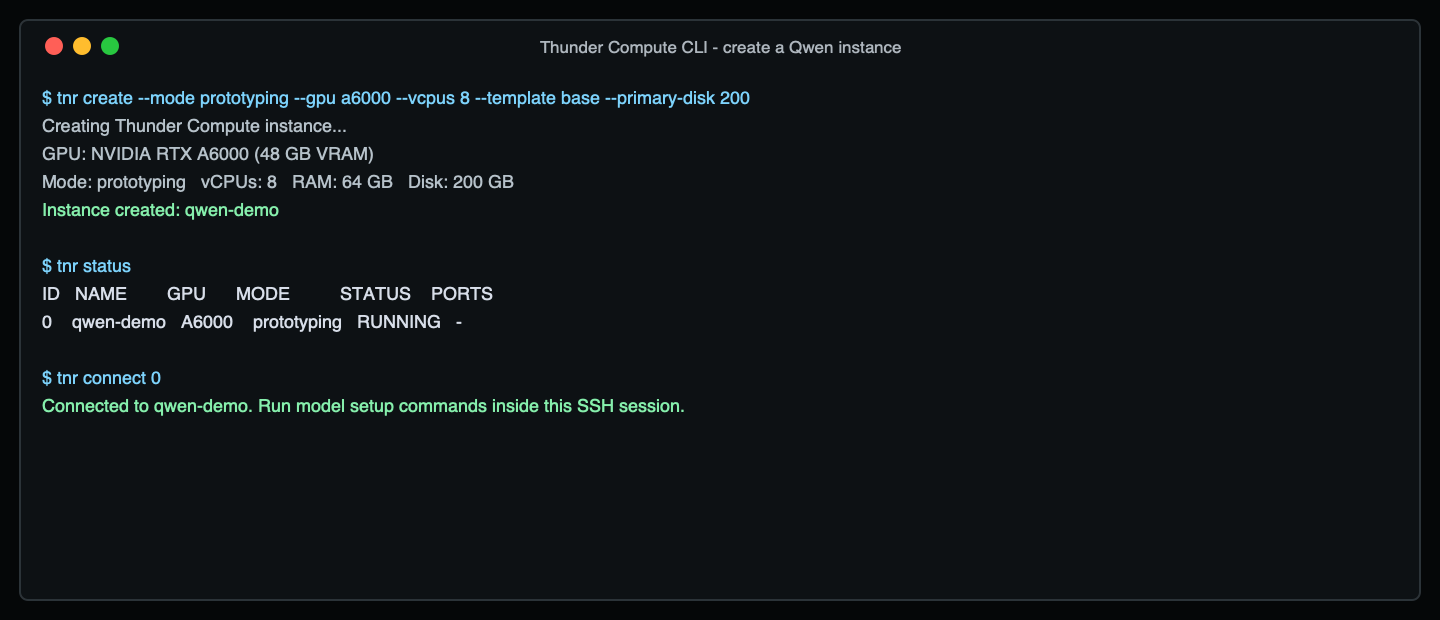
tnr create --mode prototyping --gpu a6000 --vcpus 8 --template base --primary-disk 200
Create a Thunder Compute A6000 instance For an A100 or H100 run, keep the same shape but change the GPU. Available vCPU choices vary by current inventory, so use tnr create interactively if a one-line command needs adjustment.
# A100 80 GB
tnr create --mode prototyping --gpu a100 --num-gpus 1 --vcpus 12 --template base --primary-disk 250

# H100 80 GB
tnr create --mode prototyping --gpu h100 --num-gpus 1 --vcpus 16 --template base --primary-disk 250
Connect to the instance:
tnr status
tnr connect <instance-id>

Download The A6000 GGUF

Inside the instance, download the UD-Q4_K_XL GGUF. This is the tested A6000 fit.
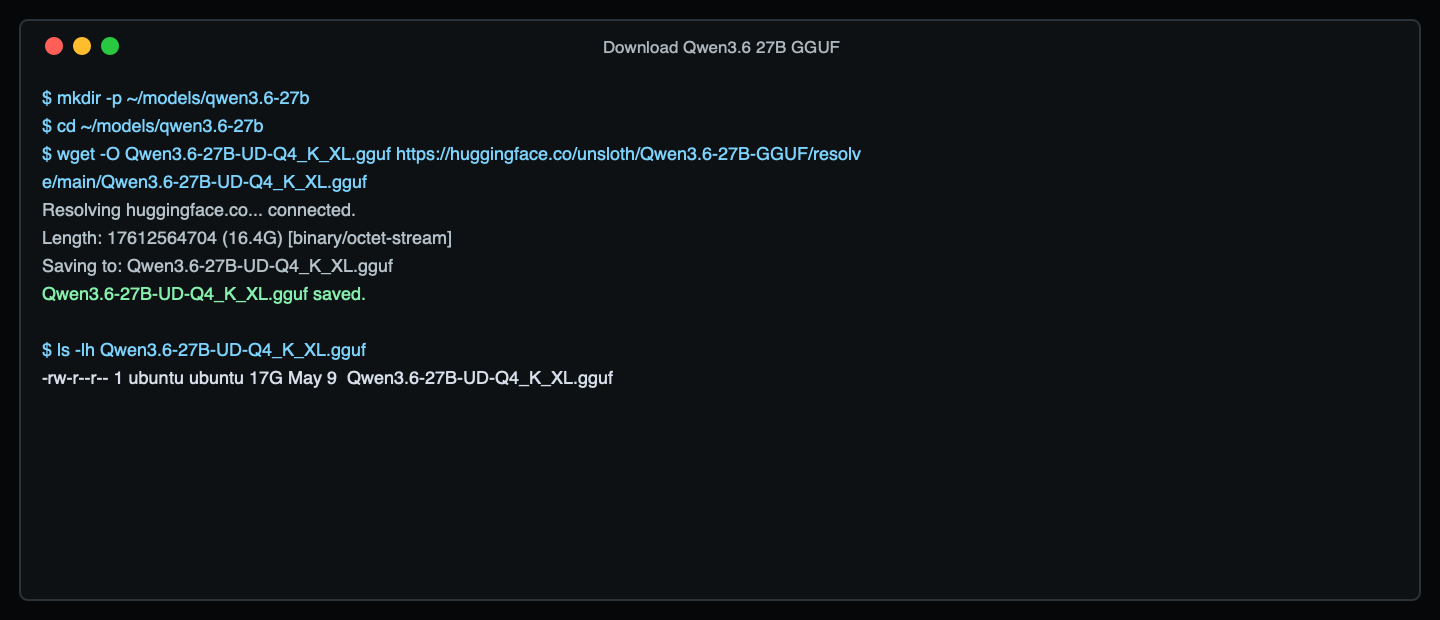
mkdir -p ~/models/qwen3.6-27b
cd ~/models/qwen3.6-27b

wget -O Qwen3.6-27B-UD-Q4_K_XL.gguf \
  https://huggingface.co/unsloth/Qwen3.6-27B-GGUF/resolve/main/Qwen3.6-27B-UD-Q4_K_XL.gguf
Download Qwen3.6 27B GGUF For A100, replace the filename and URL with one of these:
# Higher quality than Q4, still compact
Qwen3.6-27B-UD-Q6_K_XL.gguf

# Largest common GGUF choice for a single 80 GB card
Qwen3.6-27B-Q8_0.gguf

Run A Direct Prompt

Set a short prompt for a direct model-load smoke test:
PROMPT=$'<|im_start|>user\n/no_think\nIn one sentence, explain what a Thunder Compute GPU instance is.\n<|im_end|>\n<|im_start|>assistant\n'
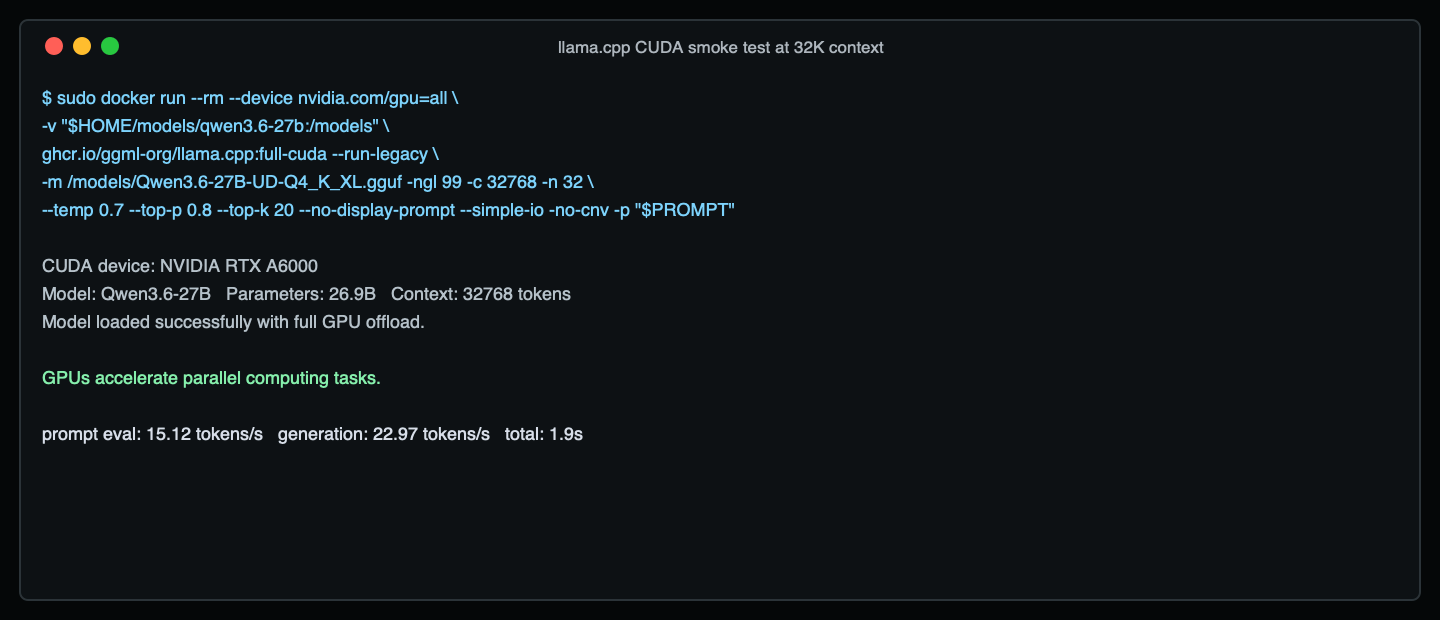
Run the model with full GPU offload and the tested 32K context:
sudo docker run --rm --device nvidia.com/gpu=all \
  -v "$HOME/models/qwen3.6-27b:/models" \
  ghcr.io/ggml-org/llama.cpp:full-cuda --run-legacy \
  -m /models/Qwen3.6-27B-UD-Q4_K_XL.gguf \
  -ngl 99 \
  -c 32768 \
  -n 160 \
  --temp 0.7 \
  --top-p 0.8 \
  --top-k 20 \
  --no-display-prompt \
  --simple-io \
  -no-cnv \
  -p "$PROMPT"
Run a direct prompt with llama.cpp This direct run is only a quick check that the GGUF loads and generates on the selected GPU. If you are using a different GGUF file, update the -m path. If the command runs out of memory, lower -c first. If it succeeds and you need more context, raise -c and test again before turning the endpoint over to users.

Start An OpenAI-Compatible API

Start a persistent llama.cpp server on port 8000:
sudo docker rm -f qwen36-llama >/dev/null 2>&1 || true

sudo docker run -d \
  --name qwen36-llama \
  --device nvidia.com/gpu=all \
  -p 8000:8000 \
  -v "$HOME/models/qwen3.6-27b:/models" \
  ghcr.io/ggml-org/llama.cpp:full-cuda --server \
  -m /models/Qwen3.6-27B-UD-Q4_K_XL.gguf \
  -ngl 99 \
  -c 32768 \
  --parallel 1 \
  --host 0.0.0.0 \
  --port 8000 \
  --jinja \
  --reasoning off \
  --temp 0.7 \
  --top-p 0.8 \
  --top-k 20
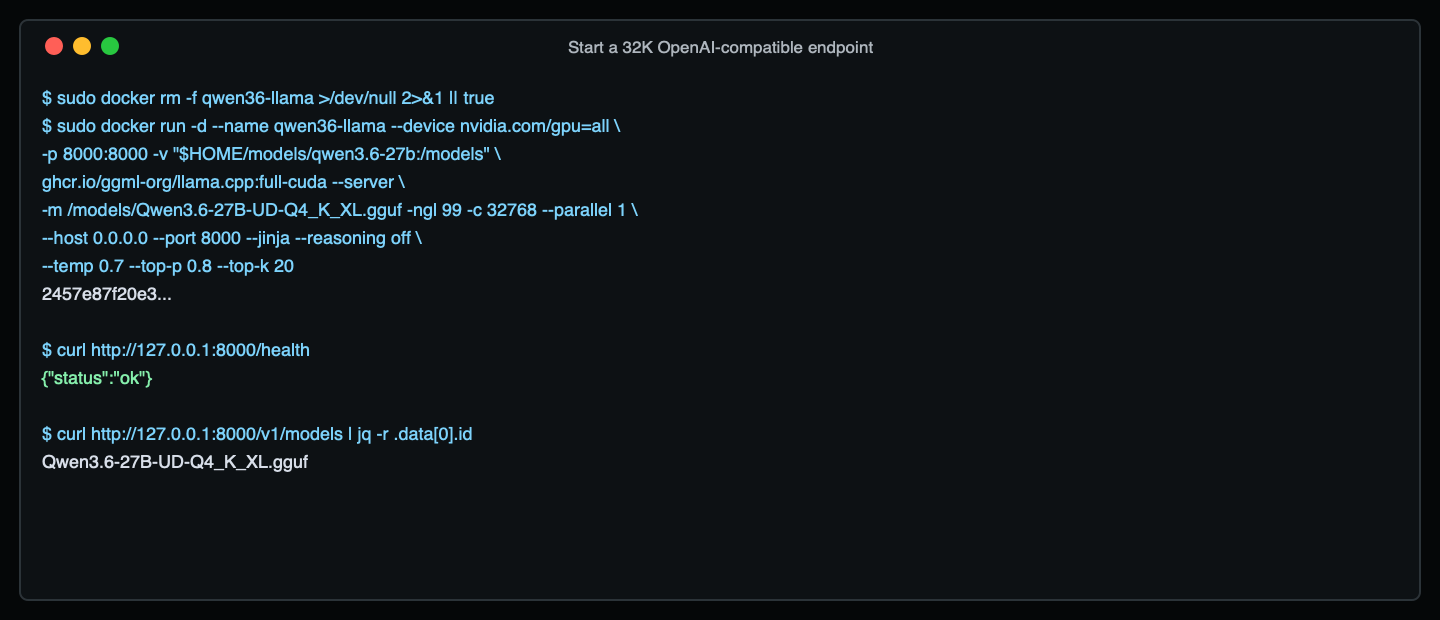
Check that the server is ready:
curl http://127.0.0.1:8000/health
curl http://127.0.0.1:8000/v1/models
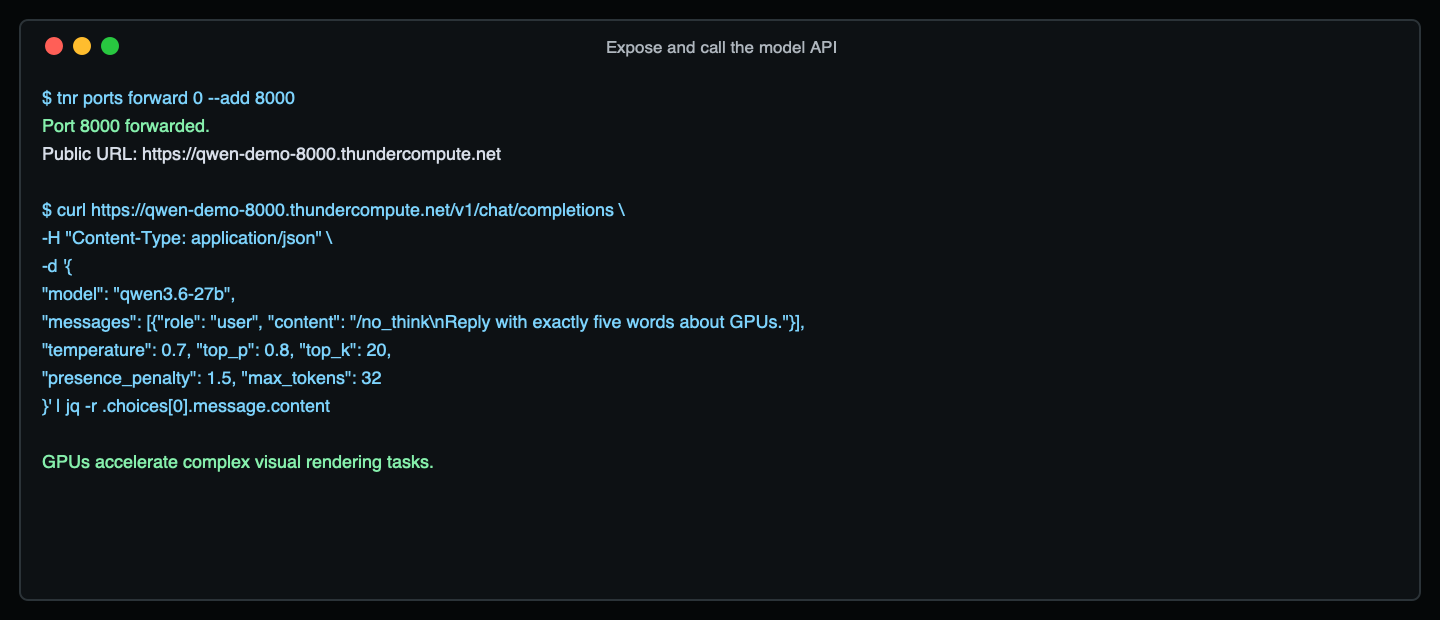
The server is ready when /health returns {"status":"ok"}. You can use /v1/models as a quick check that the model is loaded. Start an OpenAI-compatible llama.cpp server Expose the endpoint through Thunder Compute port forwarding:
tnr ports forward <instance-id> --add 8000
Your public HTTPS endpoint will use this format:
https://<instance-uuid>-8000.thundercompute.net/v1
Call the model from your local machine:
curl https://<instance-uuid>-8000.thundercompute.net/v1/chat/completions \
  -H "Content-Type: application/json" \
  -d '{
    "model": "qwen3.6-27b",
    "messages": [
      {
        "role": "user",
        "content": "/no_think\nIn one sentence, explain what a Thunder Compute GPU instance is."
      }
    ],
    "temperature": 0.7,
    "top_p": 0.8,
    "top_k": 20,
    "presence_penalty": 1.5,
    "max_tokens": 160
  }'
Call Qwen3.6 through the public Thunder Compute URL You can also point an OpenAI-compatible client at the same URL:
from openai import OpenAI

client = OpenAI(
    base_url="https://<instance-uuid>-8000.thundercompute.net/v1",
    api_key="EMPTY",
)

response = client.chat.completions.create(
    model="qwen3.6-27b",
    messages=[
        {
            "role": "user",
            "content": "/no_think\nWrite a short explanation of GPU memory.",
        }
    ],
    temperature=0.7,
    top_p=0.8,
    presence_penalty=1.5,
    max_tokens=160,
    extra_body={"top_k": 20},
)

print(response.choices[0].message.content)

H100 FP8 Serving With vLLM

Use this path when you want higher-throughput serving on H100 and do not need a GGUF quantization.
H100 is the preferred GPU for this FP8 path. The command below was also verified on a single A100 80 GB instance as an availability fallback.
python3 -m venv .venv
source .venv/bin/activate
pip install -U uv
uv pip install vllm --torch-backend=auto
sudo /sbin/ldconfig
Start with the same practical 32K context length, then raise --max-model-len after the server is stable:
vllm serve Qwen/Qwen3.6-27B-FP8 \
  --host 0.0.0.0 \
  --port 8000 \
  --served-model-name qwen3.6-27b \
  --max-model-len 32768 \
  --reasoning-parser qwen3 \
  --default-chat-template-kwargs '{"enable_thinking": false}' \
  --language-model-only \
  --enforce-eager
The default chat-template kwargs keep this guide in non-thinking mode. --enforce-eager keeps the first smoke test from spending extra startup time on CUDA graph capture. Remove it later when you are tuning throughput. Forward port 8000 the same way:
tnr ports forward <instance-id> --add 8000
Then call:
curl https://<instance-uuid>-8000.thundercompute.net/v1/chat/completions \
  -H "Content-Type: application/json" \
  -d '{
    "model": "qwen3.6-27b",
    "messages": [{"role": "user", "content": "/no_think\nGive me one practical GPU sizing tip."}],
    "temperature": 0.7,
    "top_p": 0.8,
    "max_tokens": 160
  }'
Qwen’s official vLLM example uses a 262,144 token maximum context. That is useful for long-context workloads, but start with 32K for a first smoke test so model loading, routing, and port forwarding are easy to debug.

Clean Up

Stop the server:
sudo docker rm -f qwen36-llama
Exit the instance and delete it when you are done:
exit
tnr delete <instance-id>
Billing stops when the instance is deleted.

References